
OsmAnd DVR3.40 - App Store
You'll be able to see results in few seconds.
Publisher Description
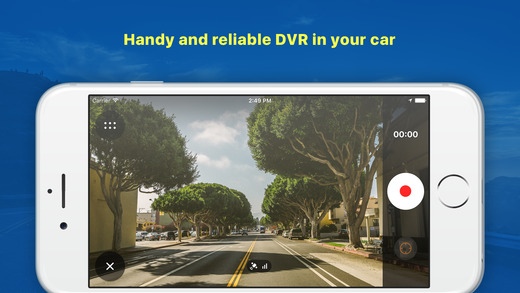
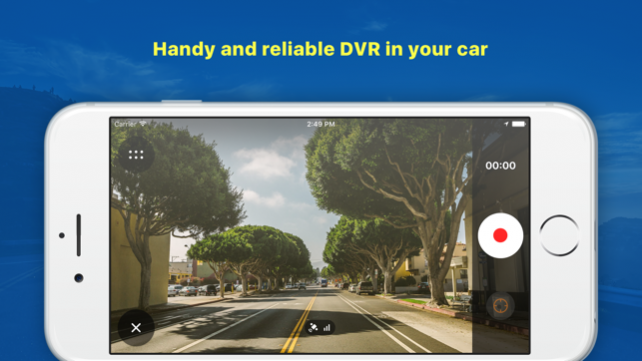
OsmAnd DVR - professional video recorder utility for iPhone, iPod touch and iPad with advanced map support. It could be used as a dashcam car recorder.
Features:
- Non-stop video recording
- Still photos while recording the video
- Recover video recording after returning from the background mode of after incoming call
- Location, speed and altitude reading
- GPX track writing
- Customizable subtitles in SRT format
- Portrait and landscape modes
- Power saving mode
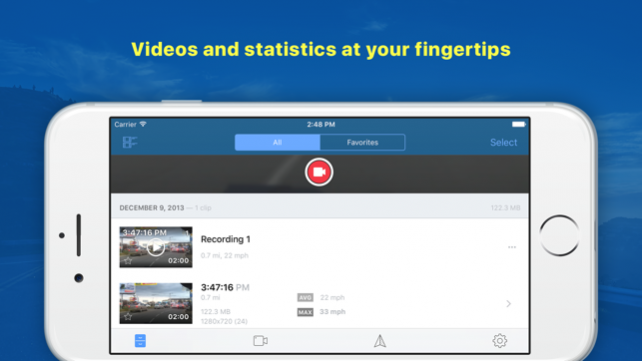
- Favorites
- Password protection
- Built-in video/photo gallery
- Simple user interface
- Built-in Help
- Black screen mode
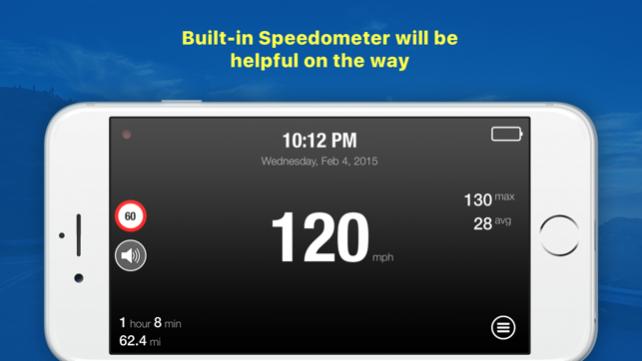
- Car mode (speedometer)
- Export to Camera Roll with built in map and subtitles
- Speed limit feature
- HTTP server to view and transfer files to a computer via WiFi network
- Frame rate adjusting
- Capture Frames feature
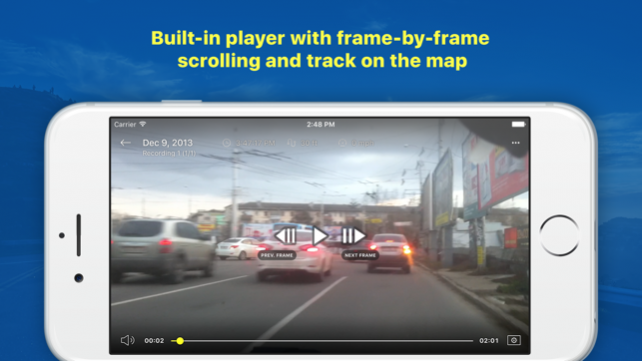
- Frame-by-Frame playback mode
- G-Sensor
- Video stabilization (4S and higher)
- Four Map providers, layer switching, traffic layer
- iPad supported
- iOS 9 supported
Works smoothly even on iPhone 4S
IMPORTANT! The video recording loop is optimized as much as possible.
Hints:
- Viewing angle in 640x480 resolution is wider than in 1280x720 or 1920x1080
- Device less heated and drains the battery more slowly in case of using non HD resolution - 640x480 for example
- When noticed something important - just tap the center of the screen. Current clip will be saved in the Favorites and will not be automatically deleted
- To make recording start on app startup or wakeup - specify startup action in settings OsmAnd DVR
- Usage of power saving mode increases life of the battery
- You can use WiFi connection, to transfer the files to your PC. Speed of copying is around of 1,2 megabytes per second
- With WiFi connection you can copy not only OsmAnd DVR files, but Camera Roll files also
- It is possible to copy files to PC via iTunes and USB cable. Files can be found in "Apps" -> "File Sharing" section
- Since Apple Maps can operate in background - you can use OsmAnd DVR together with turn-by-turn navigation (iPhone 4S and iPhone 5 only with iOS 6.1 and higher). Just start Apple Maps and navigation. Then - start OsmAnd DVR
OsmAnd DVR together with your iPhone is a great tracking device in your car
NOTE: OsmAnd DVR will not perform recording in the background since iOS has strong limitation about that. No one app is allowed to recording the video when you put app on hold (by pressing Home button) or it goes to background because of incoming call, for example.
However, OsmAnd DVR has a great feature which allows to recover recording the video automatically, when OsmAnd DVR become active again.
If you have any problem with running of OsmAnd DVR or it works not as you expected please write email to support@osmand.net
You will receive answer as soon as possible.
Jan 4, 2018 Version 3.40
- Fixed issue of exporting video/photo files to the Photos
- Fixed misplacing of subtitles during export to the Photos
About OsmAnd DVR
The company that develops OsmAnd DVR is OsmAND B.V.. The latest version released by its developer is 3.40.
To install OsmAnd DVR on your iOS device, just click the green Continue To App button above to start the installation process. The app is listed on our website since 2018-01-04 and was downloaded 0 times. We have already checked if the download link is safe, however for your own protection we recommend that you scan the downloaded app with your antivirus. Your antivirus may detect the OsmAnd DVR as malware if the download link is broken.
How to install OsmAnd DVR on your iOS device:
- Click on the Continue To App button on our website. This will redirect you to the App Store.
- Once the OsmAnd DVR is shown in the iTunes listing of your iOS device, you can start its download and installation. Tap on the GET button to the right of the app to start downloading it.
- If you are not logged-in the iOS appstore app, you'll be prompted for your your Apple ID and/or password.
- After OsmAnd DVR is downloaded, you'll see an INSTALL button to the right. Tap on it to start the actual installation of the iOS app.
- Once installation is finished you can tap on the OPEN button to start it. Its icon will also be added to your device home screen.
Program Details
System requirements
Download information
Pricing
Version History
version 3.40
posted on 2018-01-04
Jan 4, 2018 Version 3.40
- Fixed issue of exporting video/photo files to the Photos
- Fixed misplacing of subtitles during export to the Photos
version 3.30
posted on 2015-02-13
version 3.40
posted on 1970-01-01
2018年1月4日 Version 3.40
- Fixed issue of exporting video/photo files to the Photos
- Fixed misplacing of subtitles during export to the Photos
Disclaimer
Official App Store Link
We do not host OsmAnd DVR on our servers. We did not scan it for viruses, adware, spyware or other type of malware. This app is hosted by Apple and passed their terms and conditions to be listed there. We recommend caution when installing it.
The App Store link for OsmAnd DVR is provided to you by apps112.com without any warranties, representations or guarantees of any kind, so access it at your own risk.
If you have questions regarding this particular app contact the publisher directly. For questions about the functionalities of apps112.com contact us.
